Help / Getting started
Log in to the extension to use premium features
English-to-English lookups work without an account. But multi-language lookups and Anki export require a Wordwise subscription — and you need to be logged in inside the extension for it to know you have one.
How to log in
- Click the Anki Dictionary extension icon in your browser toolbar.
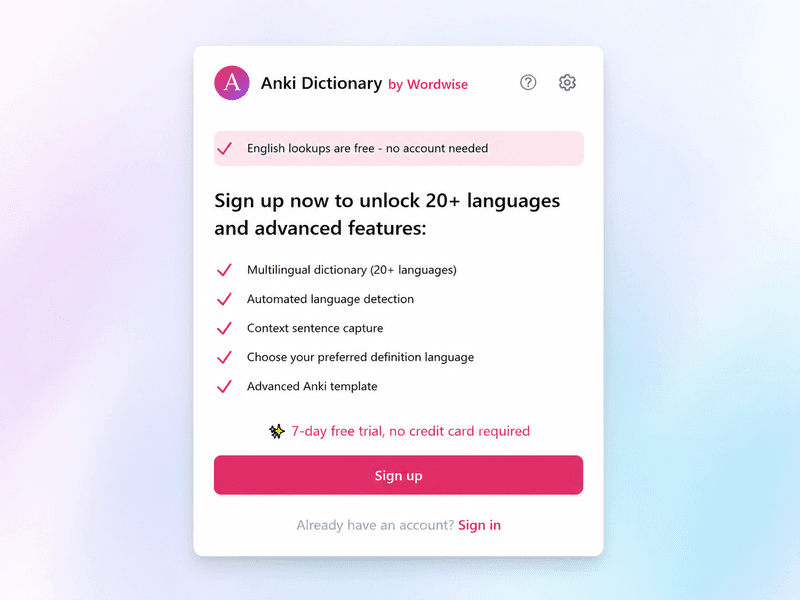
- Click Sign In in the popup.
- Sign in with the same email you used when you signed up for Wordwise.
Before — not logged in
After — logged in
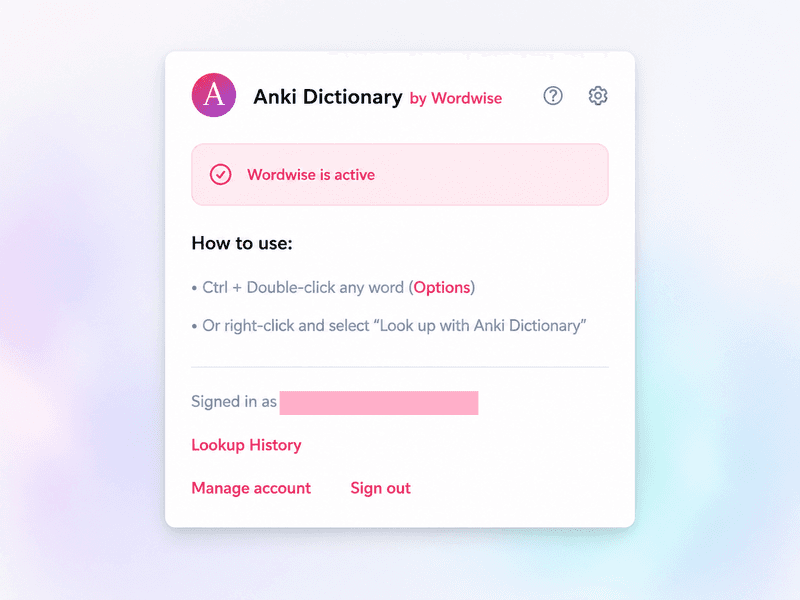
Once you're logged in, multi-language lookups and export will work immediately — no need to refresh the page.
"I paid but features aren't working"
The answer is almost always the same: you're not logged in inside the extension.
Signing up on the website creates your account and starts your subscription, but the extension doesn't know about it until you log in there too. They're separate steps.
Click the extension icon — if you see a Sign In button, that's the problem. Log in and your paid features will activate right away.
Still not working after logging in?
- Try logging out and back in — this refreshes your session and picks up any subscription changes.
- If you're on a free trial, check that it hasn't expired. You can see your subscription status on your dashboard.
- If none of that helps, reach out at help@wordwise.me and we'll sort it out.
More getting-started guides